
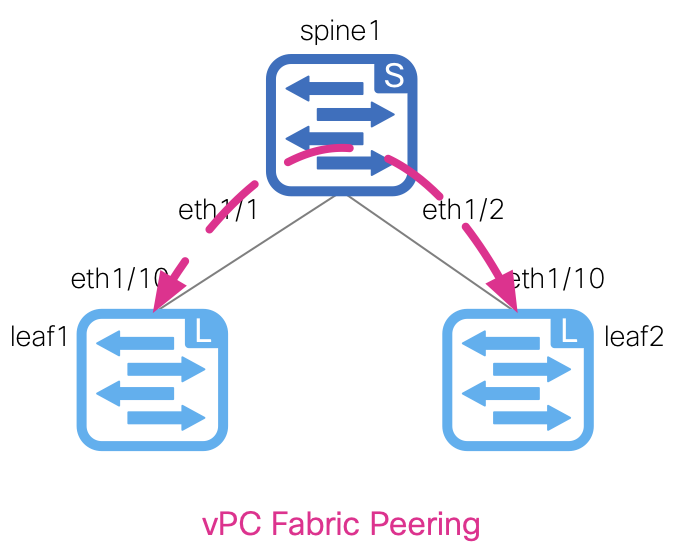
With the devices added to the fabric, you can now create the vPC peering between staging-leaf1 and staging-leaf2. You will create a new file named vpc.nac.yml.
This file will contain all of the necessary vPC configurations to establish the vPC peering for the leaf switches. The vPC settings such as peer-link Vlan and peer-keepalive VRF to use are defined under the vpc section of the global key.
The actual vpc_peers are defined under the vpc_peers of the topology section. Again, this vPC peering configuration will be used by the Ansible playbook to create the vPC peering between the leaf switches.
touch ~/workspace/ndlab/nac/host_vars/fabric-stage/vpc.nac.yml
code-server -r ~/workspace/ndlab/nac/host_vars/fabric-stage/vpc.nac.yml
---

vxlan:
  topology:
    vpc_peers:
      - peer1: staging-leaf1
        peer2: staging-leaf2
        fabric_peering: true
Make sure you are in your root Ansible directory
cd ~/workspace/ndlab/nac
From the root Ansible project directory execute the following command:
ansible-playbook -i hosts.stage.yml vxlan.yml --tags cr_manage_vpc_peers
Upon a successful run of the playbook your output should look as follows:
  <... SNIP ...>

  PLAY RECAP **************************************************************************************************************************************************************************
  fabric-stage               : ok=218  changed=32   unreachable=0    failed=0    skipped=731  rescued=0    ignored=0


  PLAYBOOK RECAP **********************************************************************************************************************************************************************
  Playbook run took 0 days, 0 hours, 1 minutes, 23 seconds


  TASKS RECAP *************************************************************************************************************************************************************************
  Wednesday 29 October 2025  11:23:34 +0000 (0:00:00.323)       0:01:23.348 *****
  ===============================================================================
  cisco.nac_dc_vxlan.common : Display Flag Values ------------------------------------------------------------------------------------------------------------------------------ 2.14s
  cisco.nac_dc_vxlan.common : Get POAP Data From POAP Enabled Devices ---------------------------------------------------------------------------------------------------------- 1.89s
  cisco.nac_dc_vxlan.create : Manage vPC Peering in Nexus Dashboard ------------------------------------------------------------------------------------------------------------ 1.88s
  cisco.nac_dc_vxlan.connectivity_check : Get Cisco Nexus Dashboard Fabric Controller Version ---------------------------------------------------------------------------------- 1.56s
  cisco.nac_dc_vxlan.common : Build Fabric Creation Parameters From Template --------------------------------------------------------------------------------------------------- 0.90s
  cisco.nac_dc_vxlan.connectivity_check : Verify Authorization to Nexus Dashboard ---------------------------------------------------------------------------------------------- 0.81s
  cisco.nac_dc_vxlan.common : Build Fabric Switch Inventory List From Template ------------------------------------------------------------------------------------------------- 0.72s
  cisco.nac_dc_vxlan.common : Build Policy List From Template ------------------------------------------------------------------------------------------------------------------ 0.70s
  cisco.nac_dc_vxlan.validate : Copy Service Model Data to Host ---------------------------------------------------------------------------------------------------------------- 0.69s
  cisco.nac_dc_vxlan.common : Build Interface ---------------------------------------------------------------------------------------------------------------------------------- 0.68s
  cisco.nac_dc_vxlan.common : Retrieve NDFC Device Username and Password from Group Vars and update inv_config ----------------------------------------------------------------- 0.68s
  cisco.nac_dc_vxlan.common : Retrieve NDFC Device Username and Password from Group Vars and update inv_config ----------------------------------------------------------------- 0.68s
  cisco.nac_dc_vxlan.common : Build Networks Attach List From Template --------------------------------------------------------------------------------------------------------- 0.67s
  cisco.nac_dc_vxlan.common : Build VRFs Attach List From Template ------------------------------------------------------------------------------------------------------------- 0.66s
  cisco.nac_dc_vxlan.common : Build vPC Domain ID Resource --------------------------------------------------------------------------------------------------------------------- 0.65s
  cisco.nac_dc_vxlan.common : Build Interface ---------------------------------------------------------------------------------------------------------------------------------- 0.65s
  cisco.nac_dc_vxlan.common : Build vPC interface ------------------------------------------------------------------------------------------------------------------------------ 0.65s
  cisco.nac_dc_vxlan.common : Build Loopback Interfaces List From Template ----------------------------------------------------------------------------------------------------- 0.64s
  cisco.nac_dc_vxlan.common : Build Interface ---------------------------------------------------------------------------------------------------------------------------------- 0.64s
  cisco.nac_dc_vxlan.common : Build sub_interface ------------------------------------------------------------------------------------------------------------------------------ 0.64s

  ROLES RECAP *************************************************************************************************************************************************************************
  Wednesday 29 October 2025  11:23:34 +0000 (0:00:00.325)       0:01:23.349 *****
  ===============================================================================
  common ----------------------------------------------------------------- 65.27s
  validate ---------------------------------------------------------------- 6.02s
  create ------------------------------------------------------------------ 4.89s
  connectivity_check ------------------------------------------------------ 4.00s
  common_global ----------------------------------------------------------- 0.05s
  ~~~~~~~~~~~~~~~~~~~~~~~~~~~~~~~~~~~~~~~~~~~~~~~~~~~~~~~~~~~~~~~~~~~~~~~~~~~~~~~
  total ------------------------------------------------------------------ 80.23s
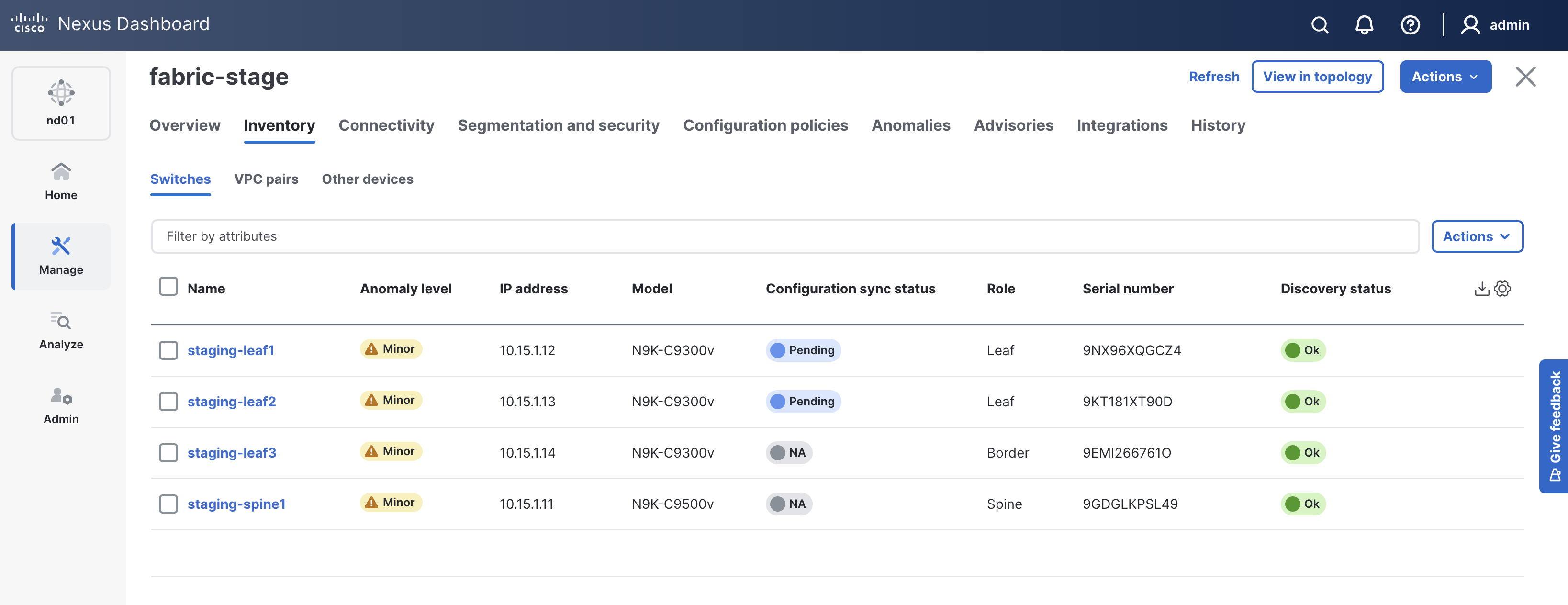
The vPC peering should now be pre-staged between leaf1 and leaf2. Return to NDFC and verify.
In NDFC, you should still be on the Switches tab, if not:
Navigate back to your VSCode application.

Continue to the next section to define the interfaces for the leaf switches in your fabric using VXLAN as Code.